

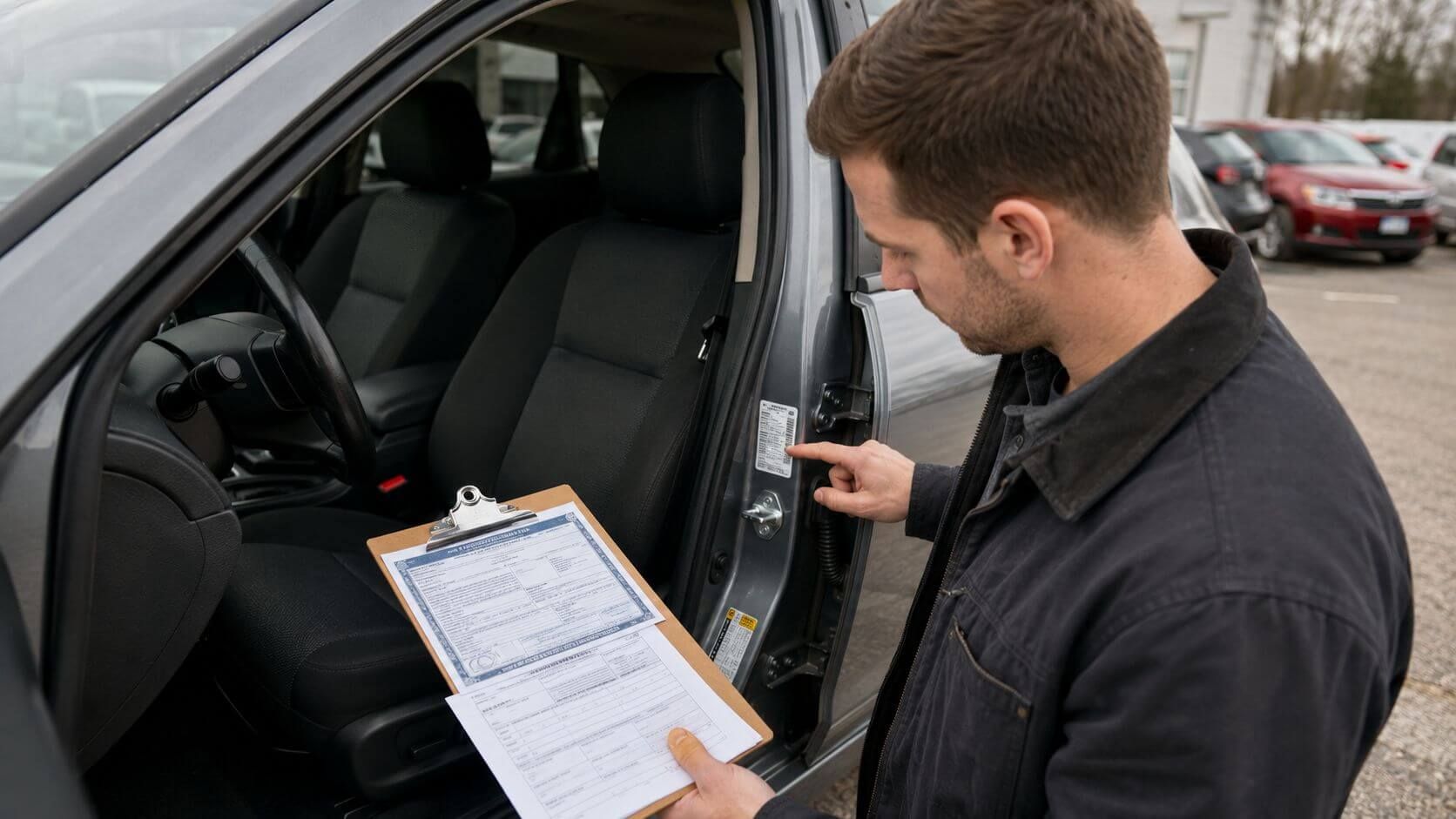
Before buying a used car, one of the simplest and most important checks you can do is matching the VIN across the vehicle and its documents.
The VIN, or Vehicle Identification Number, is the unique 17-character code assigned to a vehicle. It helps identify the car’s year, make, model, body style, engine, manufacturing details, and history records. If the VIN on the car does not match the title, registration, door sticker, or seller’s paperwork, you should pause before moving forward.
Sometimes a mismatch is caused by a typo. Other times, it may point to a more serious problem, such as title fraud, VIN cloning, stolen vehicle identity, incorrect paperwork, or a vehicle being misrepresented.
This beginner-friendly checklist will show you where to find the VIN, how to compare it, and what to do if something does not match.
Why Matching the VIN Matters
A used car purchase involves trust, but it should also involve verification. The seller may be honest, but listings and paperwork can still contain mistakes. A vehicle may also have passed through multiple owners, states, auctions, or dealers before reaching you.
Matching the VIN helps confirm that:
- The car in front of you is the same vehicle shown on the title.
- The registration belongs to the vehicle being sold.
- The door sticker and dashboard VIN match.
- The seller’s listing is not using the wrong VIN.
- The history report applies to the actual vehicle.
- The vehicle has not been obviously misidentified.
Before you decode a VIN or run a full report, make sure you are checking the correct VIN from the actual vehicle.
Where to Find the VIN on the Car
Most passenger vehicles have the VIN in several places. You do not need special tools to check the most common locations.
Look here first:
| VIN Location | What to Check |
|---|---|
| Driver-side dashboard | Look through the windshield near the lower corner on the driver’s side. |
| Driver-side door jamb | Open the driver’s door and check the label or sticker on the door frame. |
| Vehicle title | Compare the VIN printed on the ownership document. |
| Registration card | Check the VIN listed on the current registration. |
| Insurance card | Compare the VIN on the insurance document if available. |
| Seller’s listing | Make sure the online listing VIN matches the actual vehicle. |
| Service records | Compare older repair or maintenance records, when available. |
For most buyers, the dashboard VIN, door jamb sticker, title, and registration are the most important places to compare.
Step 1: Start With the VIN on the Vehicle
Do not rely only on the VIN shown in an online listing or text message. A listing can contain mistakes. A seller may also accidentally provide the VIN from another vehicle, especially if they are selling multiple cars.
Start with the VIN on the actual vehicle.
Stand outside the car and look through the windshield at the lower driver-side corner of the dashboard. You should see a small plate with the VIN. Write it down carefully or take a clear photo.
Then open the driver-side door and look for the manufacturer label or sticker on the door jamb. This label usually includes the VIN, manufacturing details, tire information, and compliance information.
The dashboard VIN and door sticker VIN should match exactly.
Step 2: Compare the VIN Character by Character
VINs are long, and small mistakes are easy. Always compare the VIN one character at a time.
A modern VIN should have 17 characters. It may include numbers and letters, but it does not use the letters I, O, or Q because they can be confused with 1 and 0.
When comparing, watch for:
- Missing characters
- Extra characters
- Similar-looking numbers and letters
- Swapped digits
- Typos on seller documents
- A door sticker that is damaged or hard to read
- A dashboard plate that appears loose, scratched, or altered
Do not just check the first few and last few characters. The entire VIN should match.
Step 3: Match the VIN to the Title
The title is one of the most important documents in a vehicle sale. It should identify the vehicle being sold and show ownership information.
Compare the title VIN with the VIN on the dashboard and door sticker.
Be cautious if:
- The VIN on the title does not match the car.
- The seller’s name does not match the title.
- The title appears altered, erased, or damaged.
- The seller says the title is missing.
- The title is from another state with no clear explanation.
- The title was issued very recently for an older vehicle.
- The seller promises to provide the title later.
A mismatch between the title and the vehicle is not something to overlook. Ask for an explanation, and do not pay until the issue is resolved.
Step 4: Match the VIN to the Registration
The registration should also match the vehicle. Compare the VIN on the registration card to the dashboard VIN, door sticker VIN, and title VIN.
A registration mismatch can happen for several reasons. The seller may have given you the wrong document. The plate may have been transferred. There may be a clerical mistake. But it can also suggest a bigger issue.
Be careful if the registration:
- Shows a different VIN
- Shows a different make or model
- Shows a different owner
- Is expired
- Is from a different state
- Does not match the plate on the vehicle
If the title, registration, plate, and VIN do not tell the same story, slow down.
Step 5: Check the Door Sticker Closely
The door sticker is useful because it is attached to the vehicle body and usually includes the VIN, manufacturing date, gross vehicle weight information, tire details, and compliance information.
Check whether the sticker looks normal.
Warning signs include:
- Torn or partially removed label
- Sticker that looks newer than the vehicle
- Paint overspray around the sticker
- VIN that does not match the dashboard
- Label placed crookedly or unusually
- Missing label on a vehicle that should have one
- Door jamb damage or repair signs
A damaged or replaced door is not automatically a deal-breaker, but it should lead to more questions. If the door was replaced after a collision, the sticker may be missing or inconsistent. In that case, check the vehicle history and ask for repair records.
Step 6: Decode the VIN to Confirm the Vehicle Details
Once the VIN matches across the car and documents, use a VIN decoder to confirm the basic vehicle identity.
A VIN decoder can help verify:
- Year
- Make
- Model
- Body style
- Engine
- Trim or series, when available
- Manufacturing country
- Assembly plant
- Vehicle type
If the VIN decodes to a different model year, make, body style, or vehicle type than what the seller advertised, ask questions.
For example, if the listing says the vehicle is a higher trim but the VIN points to a different configuration, the listing may be wrong. If the VIN decodes to a completely different vehicle, stop and investigate before continuing.
Step 7: Understand the VIN Structure
You do not need to memorize every VIN character, but understanding the basic structure helps you spot problems.
A VIN is divided into sections:
| VIN Section | Characters | What It Tells You |
|---|---|---|
| WMI | 1–3 | World Manufacturer Identifier: country, manufacturer, and division |
| VDS | 4–8 | Vehicle Descriptor Section: model, body, engine, and vehicle attributes |
| Check digit | 9 | Helps validate the VIN |
| VIS | 10–17 | Vehicle Identifier Section: model year, plant, and serial number |
The first part of the VIN can also point to where the vehicle was manufactured. For example, some VINs beginning with 1, 4, or 5 indicate the United States, 2 indicates Canada, 3 indicates Mexico, J indicates Japan, and W indicates Germany. For a deeper reference, see VinAudit’s guide to VIN country codes.
This can help you confirm whether the vehicle’s origin makes sense based on the seller’s description.
Step 8: Use the Original Window Sticker When Available
A VIN match tells you the vehicle identity is consistent. A window sticker can help confirm what the vehicle originally included.
A window sticker by VIN may show the original configuration, standard and optional features, MSRP, trim, fuel economy, safety ratings, and warranty information.
This is helpful when:
- The seller claims the vehicle has a specific package.
- You want to confirm trim or equipment.
- The listing mentions features that are hard to verify.
- You are comparing two similar vehicles.
- You want to know the original MSRP or factory options.
A vehicle can have the correct VIN and still be advertised with the wrong trim or feature package. The window sticker helps reduce that confusion.
Step 9: Run a VIN Check Before Buying
After confirming that the VIN matches across the vehicle and paperwork, run a VIN check before making a final decision.
A VIN check can help uncover:
- Title history
- Title brands
- Odometer records
- Theft records
- Salvage or rebuild records
- Past sale listings
- Open lien indicators
- Accident or damage records when available
Matching the VIN confirms you are checking the right vehicle. The history report helps you understand what may have happened to that vehicle.
Do not run a report using only the VIN from the seller’s message if you have not compared it to the car. Always verify the physical VIN first.
VIN-Location Visual Checklist
Use this quick checklist when inspecting a used car:
- Dashboard VIN: visible through the windshield on the driver’s side
- Door jamb VIN: printed on the driver-side label or sticker
- Title VIN: printed on the ownership document
- Registration VIN: shown on the registration card
- Insurance VIN: shown on insurance document, if available
- Listing VIN: shown in the online ad or seller message
- Service record VIN: shown on repair invoices, if available
- Window sticker VIN: shown on original equipment document, if available
All available VINs should match exactly.
What If the VIN Does Not Match?
If there is a VIN mismatch, do not ignore it.
Here is what to do:
- Recheck the VIN carefully.
- Ask the seller for an explanation.
- Compare the VIN on the dashboard and door sticker again.
- Ask for the correct title and registration.
- Decode the VIN to confirm the vehicle details.
- Run a VIN check only after confirming the correct VIN.
- Contact your state motor vehicle agency if the paperwork seems questionable.
- Walk away if the seller cannot provide a clear answer.
A simple typo may be fixable. A mismatch between the car and title is much more serious.
Red Flags That Should Make You Pause
Be careful if you notice any of these:
- VIN on the title does not match the car
- Dashboard VIN and door sticker VIN do not match
- Seller refuses to show the title
- Seller only provides a photo of the VIN, not the vehicle
- Door sticker appears removed or replaced
- VIN plate looks tampered with
- Vehicle details do not match the decoded VIN
- Registration belongs to a different vehicle
- Seller pressures you to buy quickly
- Price is unusually low
- The car has a recent out-of-state title with no explanation
If the story does not line up, it is better to walk away than inherit a paperwork problem.
Final Takeaway
Matching the VIN is one of the easiest ways to protect yourself when buying a used car. It only takes a few minutes, but it can prevent serious mistakes.
Start with the VIN on the actual vehicle. Compare the dashboard VIN, door sticker, title, registration, and listing. Then decode the VIN, confirm the original equipment when needed, and run a full vehicle history check before paying.
A used car should have a consistent identity across the vehicle and documents. If the VIN does not match, stop and investigate before moving forward.
FAQs
Where is the VIN located on a car?
The most common VIN locations are the driver-side dashboard near the windshield and the driver-side door jamb sticker. You can also find the VIN on the title, registration, insurance card, and service records.
Should the VIN on the title match the car?
Yes. The VIN on the title should match the VIN on the vehicle. If it does not, do not buy the car until the issue is clearly explained and corrected.
What if the VIN on the registration does not match?
A registration mismatch may be a clerical mistake or a sign that the wrong document was provided. It may also point to a more serious issue. Compare the title, dashboard VIN, door sticker, and plate details before proceeding.
Can a VIN decoder tell me if the VIN is correct?
A VIN decoder can help confirm whether the VIN structure and vehicle details make sense. It can show the year, make, model, body style, engine, and manufacturing information tied to the VIN.
Should I run a VIN check before or after matching the VIN?
Match the VIN first. Once you confirm that the VIN belongs to the actual vehicle, run a VIN check to review title history, theft records, odometer records, salvage records, liens, and other history details.